|
|
| If you have forgotten your Personal NET Banking password, you can apply for a new one by the following steps:
|
| |
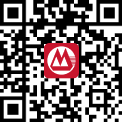
| Click Forgot Password on CMB Wing Lung Bank Mobile App login page to real-time reset password. Scan below QR code to download CMB Wing Lung Bank Mobile App. |
 |
| If you have forgotten your Personal/SME NET Banking password, you can apply for a new one by the following steps: |
| |
Local Customer |
| |
1. |
Click here to download Instruction Notice of CMB Wing Lung Personal/SME NET Banking Service. |
|
2. |
Deliver the completed Request Form to our Head Office or any
of our branches in person, and a new NET Banking password
will be issued to you immediately. |
| |
|
|
| |
Overseas Customer |
| |
1. |
Click here to download Instruction Notice of CMB Wing Lung Personal/SME NET Banking Service. |
| |
2. |
Mail the completed Request Form to:
CMB Wing Lung Bank Ltd, Deposits Department,
45 Des Voeux Road Central, Hong Kong |
| |
3. |
Return by mail the acknowledgement to us upon receipt of the
new NET Banking Password. |
|
| |
|
|