Follow these steps to lock your funds via the CMBWLB Mobile APP
-
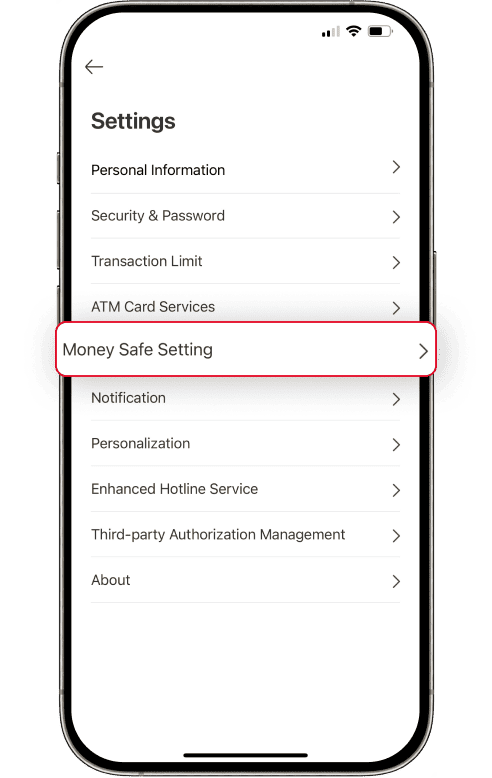
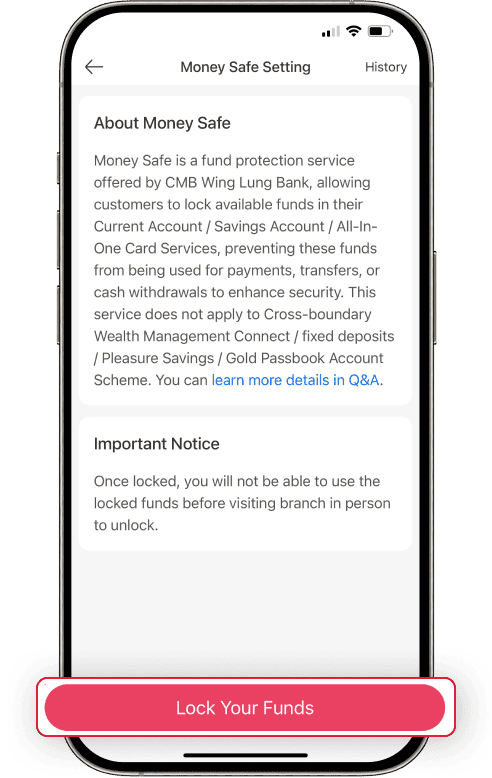
Step 1:Enter into CMBWLB Mobile APP – All – Settings. Select “Money Safe Setting”
-
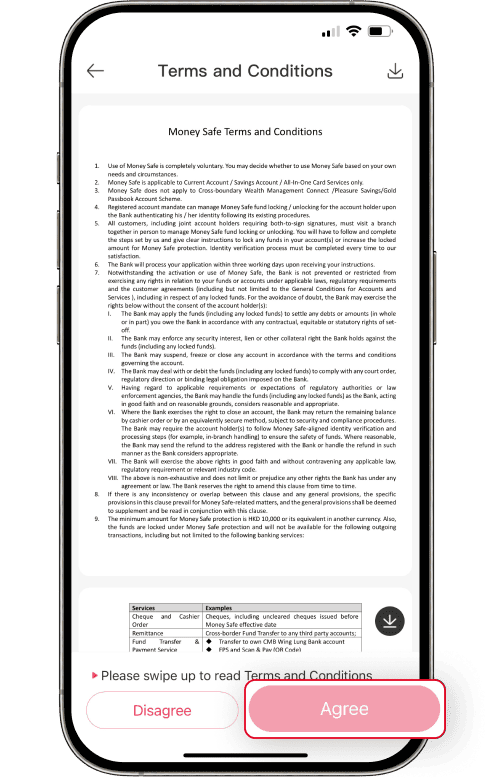
Step 2:Log on to your net banking account, read the terms and submit your application.
-
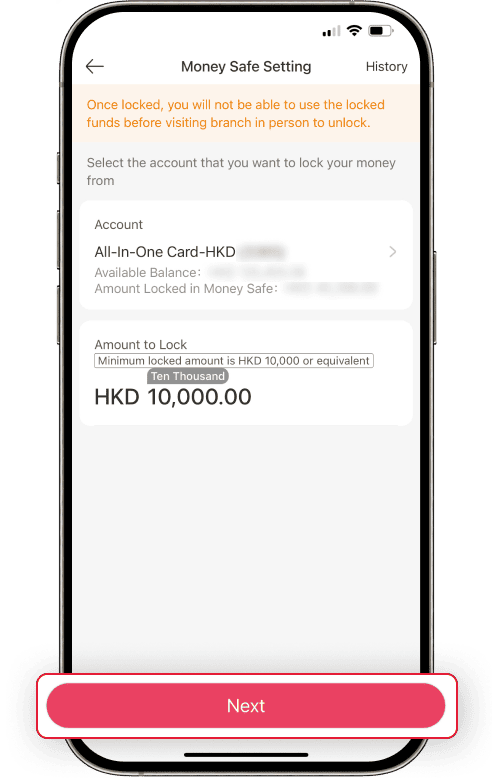
Step 3:Select the account that you would like to lock funds from. Then input the amount.
-
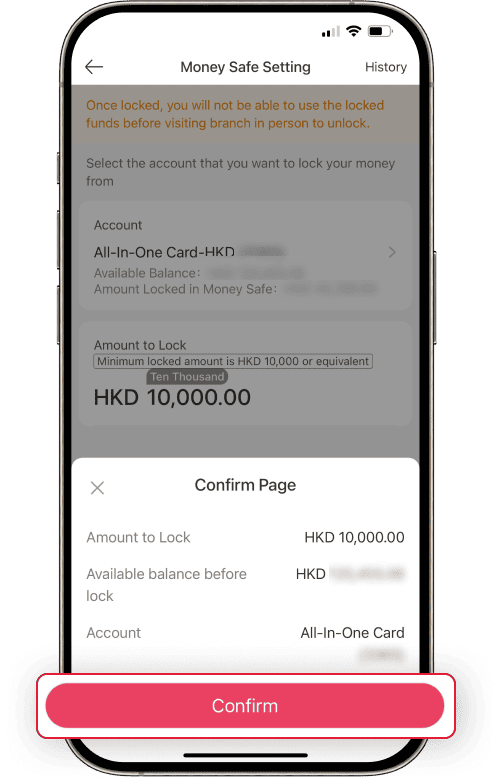
Step 4:Confirm the information you input, and following the on-screen instructions.
-
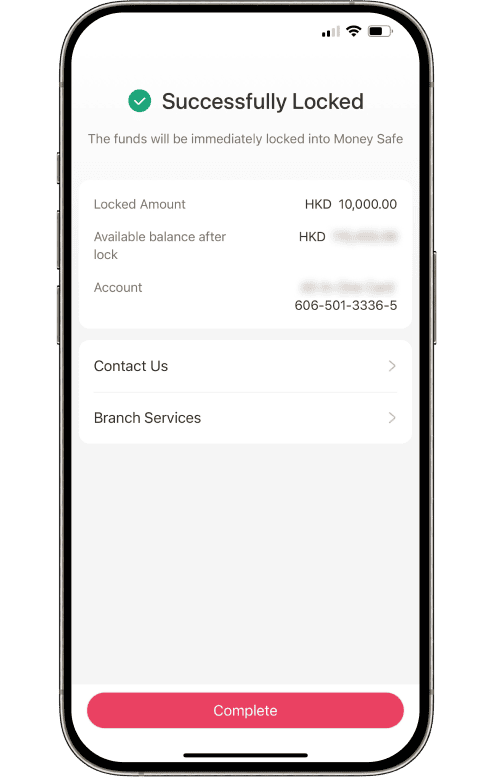
Step 5:Successfully locked your funds.